



Technology Upgrade
| Technology Upgrade Timeline Check back often for the latest upgrade information. Download our Customer Information Booklet with complete information about our Technology Upgrade! | |
| MASTERCARD® DEBIT CARD | DIGITAL BANKING |
| MONDAY, SEPTEMBER 21 | |
| NEW CARDS IN THE MAIL You will begin receiving your new debit card in the mail. These cards can be activated and used beginning on October 8. 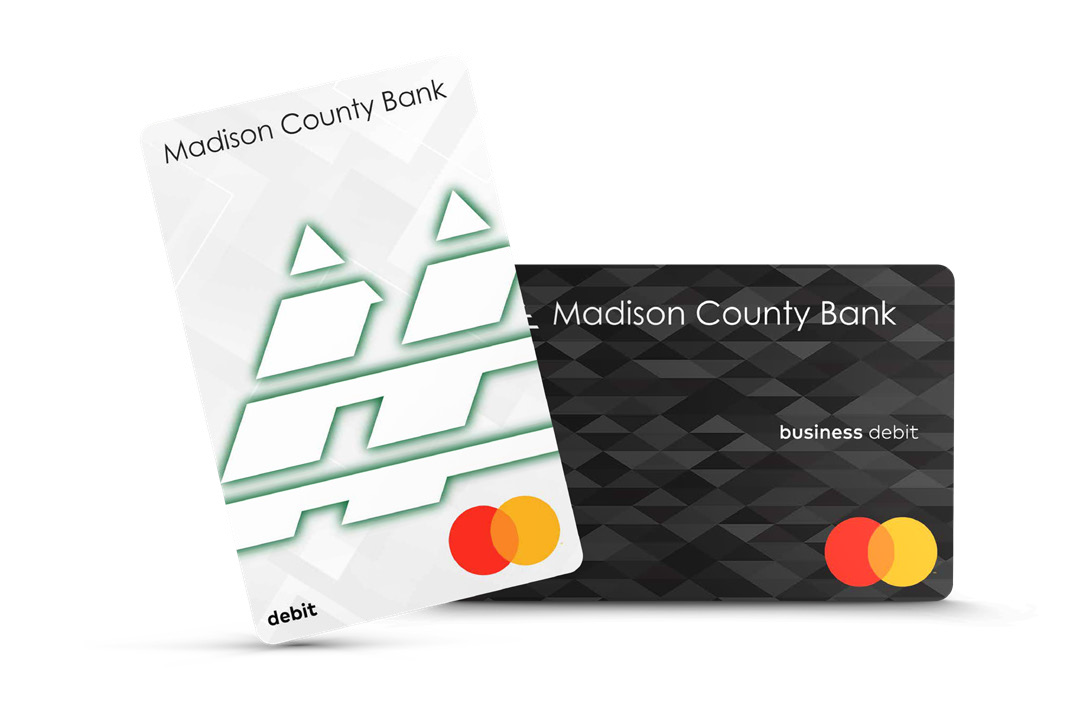 | |
| FRIDAY, OCTOBER 2 | |
| Bill Pay Access Last day to add billers and schedule new bills to paid with your current Bill Pay service. Any payments scheduled in advance will continue to process through October 8. | |
| WEDNESDAY, OCTOBER 7 | |
Continue Using Existing MASTERCARD® Debit Cards ATMs at all bank locations will be unavailable at the end of the business day.
| |
| THURSDAY, OCTOBER 8 | |
Activate Your New Card Some ATMs will become available at various branches throughout the day.
| DIGITAL BANKING INTERRUPTION Download and retain bank statements for your records
eStatements Access to your statements in online banking will be unavailable during the upgrade. We encourage you to download any eStatements you need access to until our upgraded eStatement solution is available, targeted for completion later this year.
Bill Pay and Zelle Access Zelle Payment service will be discontinued and replaced by an enhanced P2P service available later this year.
Intuit QuickBooks Connections |
| FRIDAY, OCTOBER 9 | |
ATM SYSTEM TRANSITION Additional ATMs at more branches will continue to be brought online. | |
| SATURDAY, OCTOBER10 | |
Customer Support The Albion and Norfolk South locations will be open during regularly scheduled hours. All locations will be available for phone support. See the Contact Us link on the website for all locations and phone numbers. | |
| MONDAY, OCTOBER 12 - LOBBIES & DRIVE-THRU are CLOSED. Branches open for Phone Support. | |
| ATM SYSTEM TRANSITION All ATMs are expected to fully operational by the end of the day. | Digital Enhancement Complete For Assistance and information about your online banking logon, please reference the Information Booklet mailed previously or by contacting your local branch. Download our new APPS here: Our New App icon will look similar to this: Upgraded Bill Pay |
| MONDAY, OCTOBER 19 | |
| Intuit QuickBooks Connections Restored Account connections to Intuit QuickBooks are now available. | |
| Frequently Asked Questions |
| TECHNOLOGY UPGRADE |
What is the Technology Upgrade?
As part of our ongoing commitment to service excellence, we are implementing a Technology Upgrade designed to improve performance, strengthen security, and increase operational efficiency. These enhancements will help us provide a more reliable customer experience and support future innovation.
When does this happen?
Activate your new MCB MASTERCARD® Debit Card on Thursday, October 8. Your previous card will not work after October 7.
Most of the Digital Banking changes will begin Friday, October 9, with updates occurring over the weekend of October 10 - 12.
How does this impact me?
If you use Online Banking, you will be required to enroll in our new Digital Banking platform. A guided process will assist you with this enrollment.
If you are a current MCB MASTERCARD® Debit Cardholder, you will be receiving a new MASTERCARD® Debit Card with a different number and expiration date.
| CUSTOMER SUPPORT |
How will I receive updates about the Technology Upgrade?
A postcard and Information booklet will be mailed to each customer. Printed handouts are also available in our branches as well.
For the most up-to-date information, check back here.
How can I verify that communications about the upgrade are legitimate?
If you receive a suspicious call, text, email, or mailing, contact us immediately before taking any action. Call the number listed on our website or visit a local branch.
We will never ask for sensitive information such as your Debit Card number, PIN, account numbers, social security number, one-time passcodes, or other sensitive information via unsolicited call, text, or email.
Will my normal banking activities continue during the upgrade?
Deposits, withdrawals, transfers, and ACH payments will continue as normal.
What happens to Bill Pay and Zelle during the upgrade?
Access to current Bill Pay and Zelle will be removed on October 8. Even though you will not have access to Bill Pay after this date, any payments scheduled in advance will be processed normally through the end of the day.
Any payments scheduled after October 8 will not be processed until our new Bill Payment platform is accessible on October 12.
Please log on to our new Digital Banking platform on October 12 to ensure future payments are accurate.
Zelle will no longer be available with the new Digital Banking Platform. It will be replaced by a different P2P system soon.
What happens to my debit card and ATM access during the upgrade?
Your new MASTERCARD® Debit Card can be activated for use on Thursday, October 8. Please dispose of your previous Debit Card at that time.
Madison County Bank ATMs will be temporarily unavailable at the end of business on October 7 and we expect all of the ATMs to be operational by Monday, October 12.
| ACCOUNT/LOAN INFO, STATEMENTS AND SETTINGS |
Will my account number change?
Checking, Savings, Money Market, Certificate of Deposit and Safe Deposit Box numbers will remain the same. Loan numbers will now include a suffix.
Will the routing number change?
No, our routing number is not changing.
Will my recurring deposits and payments continue?
Yes, any recurring ACH deposits will occur as scheduled. Any electronic (ACH or internal transfers) will be converted automatically.
Any payments set up through Bill Pay will remain the same.
Will my money remain FDIC insured during the upgrade?
Yes, your money is insured up to the FDIC limits during this upgrade.
Visit the FDIC’s Electronic Deposit Insurance Estimator (EDIE) to learn more: https://edie.fdic.gov/
Will wire transfers still be available?
Yes, we will still be able to accommodate Wire Transfers on the day of and the first few days following the upgrade.
Will I still receive paper statements?
Yes.
If you wish to receive paper statements, you may continue to do so. If you have been previously enrolled in eStatments, you will continue to receive your statements this way. Please note that there will be one additional statement issued in October that will encompass October 1 through October 8, this statement will be delivered to you in the mail.
Will statement dates change?
The statement begin date/end date (cycle) will remain the same.
| DIGITAL BANKING |
When will Digital Banking services be unavailable?
Our Digital Banking Services will experience a service interruption while our upgrade is underway.
All Digital Banking services will be suspended from the afternoon of Thursday, October 8 until the morning of Monday, October 12.
You will be required to enroll in our new Digital Banking Platform if you currently use Online or Mobile Banking. The enrollment process is guided to assit you with the transfer to our new onling baning system.
Will my User ID change?
Your User ID will remain the same.
Will I need a new password?
Yes, Once you complete the guided enrollment process, you will need to establish a new password to access Online Banking.
Will I need to update the Madison County Bank App?
Apple & Andriod users will need to obtain the updated Madison County Bank App on Monday October 12.
You will not be able to access your accounts in the App until Monday, October 12.
The new app icon should look similar to this: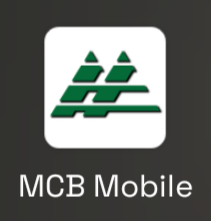
What improvements will the new MCB Mobile app have?
Our new MCB Mobile App has an improved customer experience, to include easier logins and a modern user interface.
When will Mobile Deposit be available?
The last Mobile Deposit using the current Madison County Bank App can occur until noon on Thursday, October 8.
Mobile Deposit will be available on the new MCB Mobile App starting Monday, October 12 at 10:00 AM.
When will Intuit QuickBooks®, Quicken® connections be available?
This service will be unavailable from Thursday, October 1 through Monday, October 12.
Account connections using web connect to Intuit QuickBooks®, Quicken® will be available on Monday, November 2.
What happens to existing eBills?
Any current eBills setup with our current Bill Pay provider will transfer to our new Bill Pay system.
Who can help with Bill Pay questions?
After the technology upgrade, please reach out to your local branch, beginning Monday, October 12 for assistance.
Will Zelle payment history and contacts transfer?
Due to the changing of vendors, we are not able to provide any historical information through Online Banking on Zelle payments made after Thursday October 8.
This includes any loaded contacts information.
Will I automatically be enrolled in eStatements?
Yes! If you were previously enrolled in eStatements, you will be automatically enrolled in eStatements on our new system.
How many months of statements will be available online?
You will have access to up to 24 months of statements online. These statements will be available soon after the upgrade is complete.
We encourage you to download any eStatements you need access to until our upgraded eStatement solution is available, targeted for completion no later than December 2026.
How do I continue viewing statements after the upgrade?
To continue to view statements after Thursday, October 8, you’ll need to accept the new terms and conditions for eStatements in our upgraded Digital Banking platform after October 12. Previous eStatements will be unavailable until later this year. If you need copies of these statement, please reach out to your local branch.
How do I request historical loan statements?
Please contact your local branch for any historical loan statement needs.
| ECB VISA® DEBIT CARDS/ATMs |
When will I receive my new MCB MASTERCARD® Debit Card?
Yes, we will mail you a new MCB MASTERCARD® Debit Card on September 17.
These cards will not be active and cannot be used until October 8. Activation instructions with your new MCB MASTERCARD® Debit Card will be included with card.
MCB MASTERCARD® Debit Cards are sent in an unbranded plain envelope.
If you don’t receive your MCB MASTERCARD® Debit Card in the mail, please reach out to your local branch for more information.
When should I begin using my new MASTERCARD® Debit Card?
Continue using your old MCB MASTERCARD® Debit Card until 11:59 PM on October 7, after this time your old card will no longer work.
You can activate your new MCB MASTERCARD® Debit Card on October 7 at 12:01 AM. These cards cannot be activated before this time.
Apps like Venmo, Cash App, Apple Pay, recurring subscriptions, and automatic payments with your old MCB MASTERCARD® Debit Card will need to be updated with the new MCB MASTERCARD® Debit Card information.
Can I add my new debit card to my digital wallet?
Yes. However you cannot enroll your new MCB MASTERCARD® Debit Card into your virtual wallet until the week of October 26. Due to new Google Policies, GOOGLE PAY will not be available until early 2027.
You will need to remove your old MCB MASTERCARD® Debit Card from your wallet.
Who do I contact with questions about the upgrade?
If you have any concerns about the upgrade, please call you local branch or our Norfolk North office at (402) 379-2505.